tarbol Brings Indonesia Casino Choices Together
tarbol places Super Sic Bo, Royal Fishing, slots and football markets behind one account, with DANA, OVO, GoPay and QRIS shown before you reach…

Explore Casino and Slots by Category
Casino and slots appear in separate Home categories, so you can move from table rooms to reels without searching through one long page.


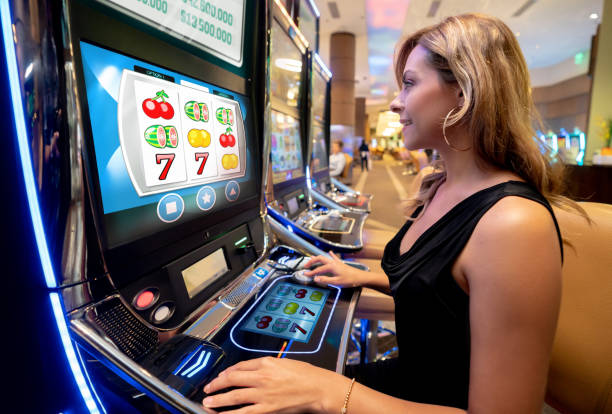





Browse Super Sic Bo and Royal Fishing
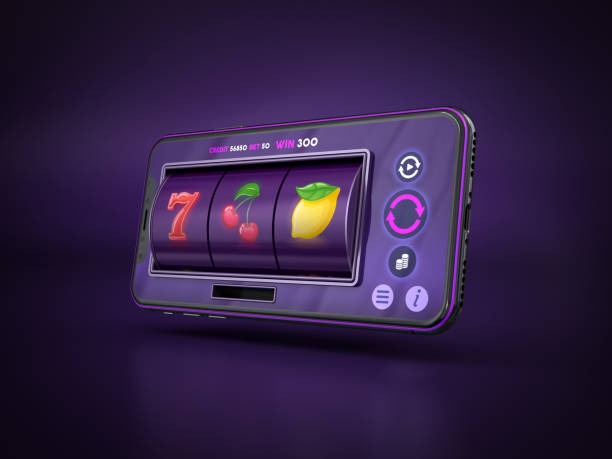
Specific categories make the tarbol Home lobby easier to read before you open an account. Super Sic Bo sits with table-based choices, while Royal Fishing belongs with arcade-style casino rooms; langit138, indobolamas88, rocket138 and slotbingo can be found through the slot search. Live baccarat, roulette, Dragon Tiger and blackjack have their own table context rather than being mixed into reel
results. Sportsbook access remains beside the casino navigation, with football, badminton and basketball markets configured for Indonesia. Use the category row first, then type a title into search when you already know what you want.
Check the Steps Before Lobby Access
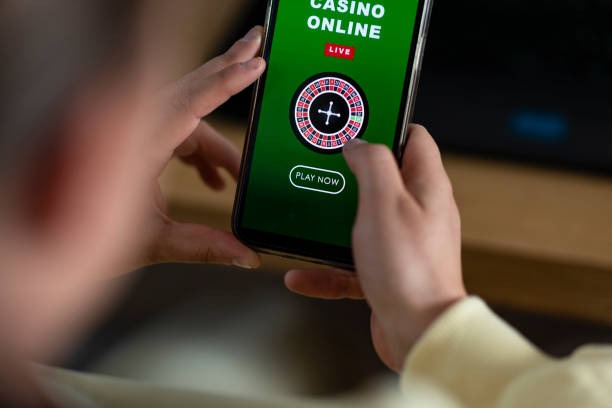
Open Your Account Through One Clear Path
Account access starts with the details requested on our Home path, followed by clear phone verification before the lobby opens. Enter your own current number, check the verification message, and return to the account screen to finish the required fields. Using accurate details matters because the same account connects your game history, wallet status and later withdrawal checks. Once access
is active, one set of credentials takes you to casino categories and the sportsbook. If a verification message does not arrive, avoid creating another account; use the nearby account-help path so we can help trace the stalled step.
Switch Between Live Casino and Slots
Explore Live Tables With Visible Context
Live baccarat and roulette open as streamed dealer tables, so a stable connection and an active account are needed before the room loads. We place Dragon Tiger and blackjack in the same live area, with the table context visible before you enter. On a phone, keep the browser active while the stream connects; moving to another application can pause video
on some devices even when your account remains open. A computer screen offers more room for table history and controls, but it uses the same credentials. If a stream stalls, return to the live category and reopen the selected table.
Check How We Handle Account Activity
Useful confidence comes from visible operating steps rather than broad claims. Our Home page identifies the available local payment rails, explains phone verification, separates casino and sportsbook areas, and keeps help close…
Phone verification
We require the phone step before account access is completed. This links your current contact number to the account path and gives support a clear starting point when access stalls.
Named payment rails
The cashier identifies DANA, OVO, GoPay, QRIS, virtual account and bank transfer separately. You can check the selected route and its current status before sending another request.
Session checks
Your wallet status, account details and game activity belong inside your signed-in session. We advise opening the Home page directly and checking the cashier rather than relying on forwarded payment messages.
Accessible policies
Account terms, payment conditions and access wording remain available through the Home policy path. Read the applicable terms before funding your wallet or entering a game category.

Protect Your Login and Wallet Status
Your phone verification, password and cashier details should remain under your control. Create credentials that you do not reuse elsewhere, and close the session when using a shared computer or phone. We keep account help near the cashier because login issues and payment-status questions often need the same identity checks. Never send a password through an unrelated message, and compare
any payment request with the method displayed inside your account. Policy access from Home explains the applicable account and payment terms. If your wallet status looks unfamiliar, pause further requests and use the account-help path before continuing.
Choose DANA or QRIS Without Guesswork
The cashier separates each Indonesia payment route instead of grouping every wallet under one label.
Browse Casino and Slots on Mobile
Casino and slots use a compact card layout on phone browsers, with category controls kept above the game area and search available for a known title.
Open the Lobby From Your Phone

Mobile access runs through your browser, so there is no separate application claim or second account path to consider. Enter through the same Home access point, complete phone verification when requested, and use the category row to reach slots, live casino or sportsbook markets. Slot search is suited to a narrow screen, while live tables benefit from landscape orientation and
a stable connection. The cashier remains part of the same session, allowing you to check DANA or QRIS status before returning to a game. If switching applications interrupts a table stream, reopen the table from the live category.
Check Support When a Step Stalls
Help is positioned around the points where an account or payment request can stop moving. Start with the account-help path for phone verification or credential access, and use the cashier help route when a DANA, OVO, GoPay, QRIS, virtual account or bank transfer status needs checking. A clear receipt and the matching request record give us useful transaction context. Do not start duplicate requests while an earlier status remains unresolved, because separate records can make the issue harder to trace.
Account access help
Use this path when phone verification, credentials or account access stalls. Keep your registered number available, but never send your password as part of a support request.
Wallet status checks
Choose cashier help when a DANA, OVO, GoPay or QRIS request remains pending. Share the payment method, request reference and receipt details connected to that transaction.
Bank receipt checks
For virtual account or bank transfer questions, retain the receipt and compare it with the active cashier record. The bank name, transfer time and reference help us trace the request.
Switch From Casino to Local Sports
Football, badminton and basketball give the sportsbook a clear Indonesia focus without separating it from your casino account. The Home navigation places sports beside the casino categories, so you can move from Royal Fishing or a live table to available markets under the same session. Open the relevant sport first, then check the event and market details shown before making
a selection. Market availability can change with the schedule, and access depends on local law. Your wallet status remains connected to the account, which means DANA, OVO, GoPay, QRIS and bank routes stay within the same cashier rather than a separate sports payment area.
Check Common tarbol Home Questions
These answers cover the practical questions you may have before opening an account from the tarbol Home page. They explain what appears in the lobby, how phone verification works, which Indonesia payment rails are listed, how mobile access behaves and where to turn when a login or wallet request stalls. Game and market availability can change, so your signed-in lobby and cashier provide the current account-specific status.